

目前所在位置:首頁 > android > 多媒體 > QuickPic
|
|
|

|
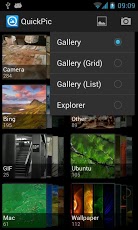
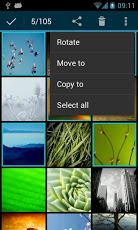
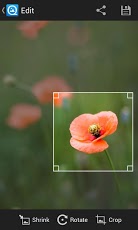
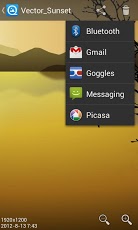
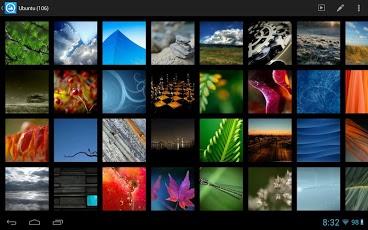
QuickPic QuickPic快圖瀏覽 Quicker and clearer view your photos! The best picture viewer/browser/gallery! 1. View and slide show with best quality, more clear than other apps. 2. Speed browsing tons of pictures, quick find all your pictures, without background service. 3. Include or exclude the specified folders to make more efficient scanning. 4. Easy hide your photos and videos from the gallery apps, protect them with a password. 5. Play animated-GIFs and standard videos. 6. The smooth experience like iPhone: sliding shift or switch, single or double tap or pinch to zoom. 7. Rotate, shrink, crop pictures, set wallpaper with best quality. 8. More file management features: sort, rename, create new folder, move and copy pictures. 9. Optimized for HD tablets 10. It is free and no ads! Tips: 1.Please BACKUP YOUR IMPORTANT PHOTOS before your do file operations! 2.Long press a thumbnail to move/copy to another or new folder. Enter multi-select mode to find the batch operations. 3.Include the picture folders only in the settings to speed up the scanning. 可快速清晰查看手機照片圖庫, 獲百萬人次好評的好用的圖片總管! 1.高品質瀏覽及幻燈片播放模式, 小圖預覽也很清晰! 2.可快速存取瀏覽大量照片 3.可選定或排除特定資料夾, 以更有效率的掃瞄 4.可設定密碼保護或隱藏特定照片與影片 5.可播放動態GIF及一般影片檔 6.感受iPhone般的滑順體驗: 順暢的滑動, 單擊/雙擊或縮放 7.基本功能, 如: 旋轉, 縮小, 裁切, 設為桌布或聯絡人圖示 8.檔案管理功能, 如: 排序方式, 重新命名, 新增資料夾, 移動或複製圖片等 9.優化高畫質版本供平板使用 10.免費且無廣告! 小提醒: 1.任何操作前, 請先備份重要照片檔案 2.小圖上長按可移動或複製照片到新的資料夾, 亦提供全選功能 3.可選定讀取只有包含圖檔的資料夾以加速掃描 |
比起Android系統內建的相片集, 這款<QuickPic快圖瀏覽>確實可快速掃描讀取手機中所有圖片檔, 包含拍攝的照片, 桌布圖檔,上傳Facebook的照片,Whatsapp跟LINE傳檔資料夾,手機螢幕截圖,影片檔都會乖乖排列喔!
|
|
| 下載連結: | |
| 軟體官網: | |
Tags:圖片,圖庫,照片 |
◎發表您對此軟體的看法:
|
|